Operational tracking for an HVAC service department
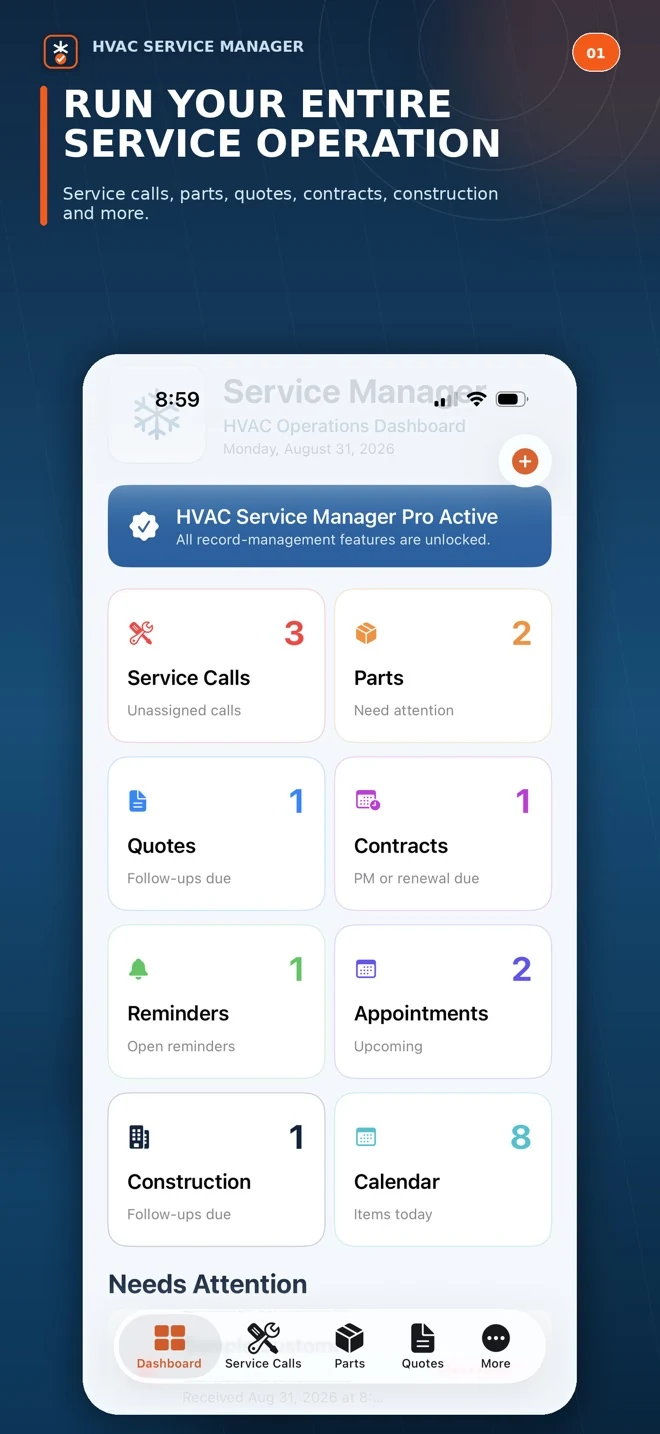
HVAC Service Manager is an iPhone and iPad app for organizing service calls, parts, quotes, maintenance contracts, construction work, reminders, and appointments. It provides a consolidated view of operational records without claiming to replace accounting or live emergency dispatch.
Track calls and the work that follows
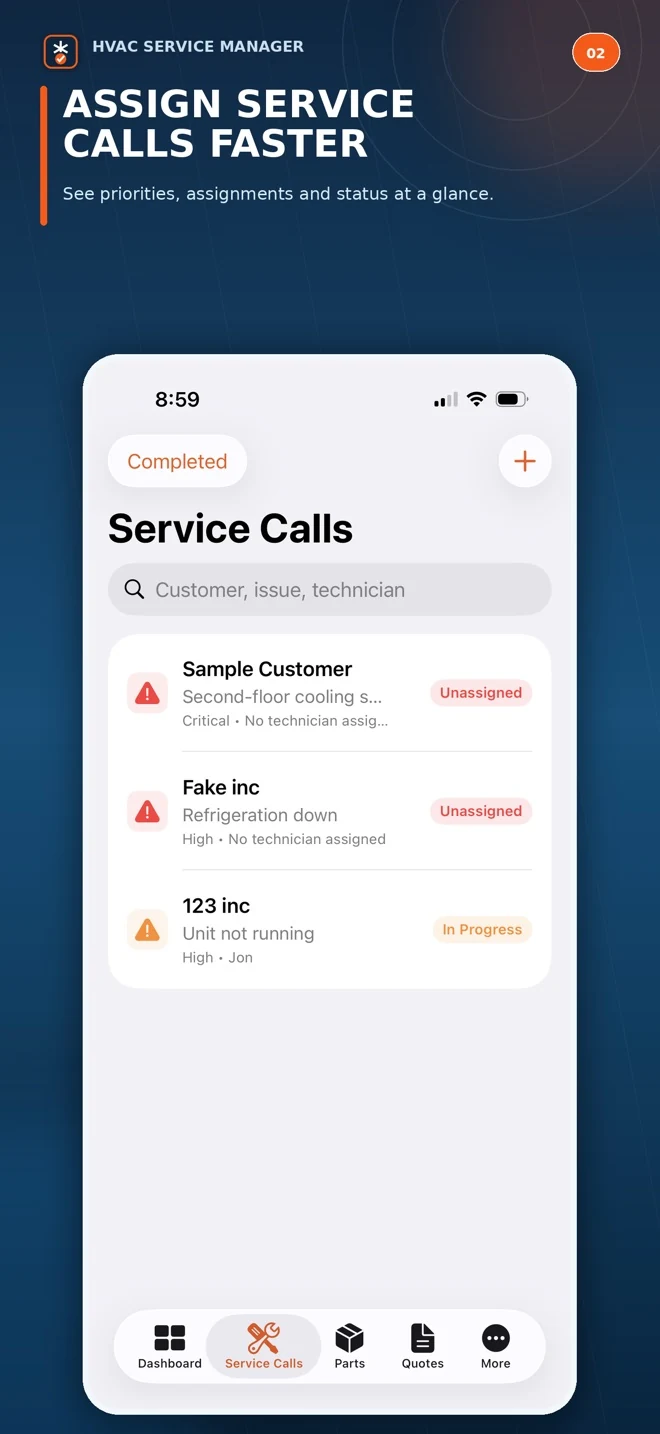
Record a service call from intake through assignment and completion. Selecting a technician changes the call to Assigned. Keep customer and location information connected to the work, then review status and next actions before handing off responsibilities.
Keep parts and quotes connected to the job
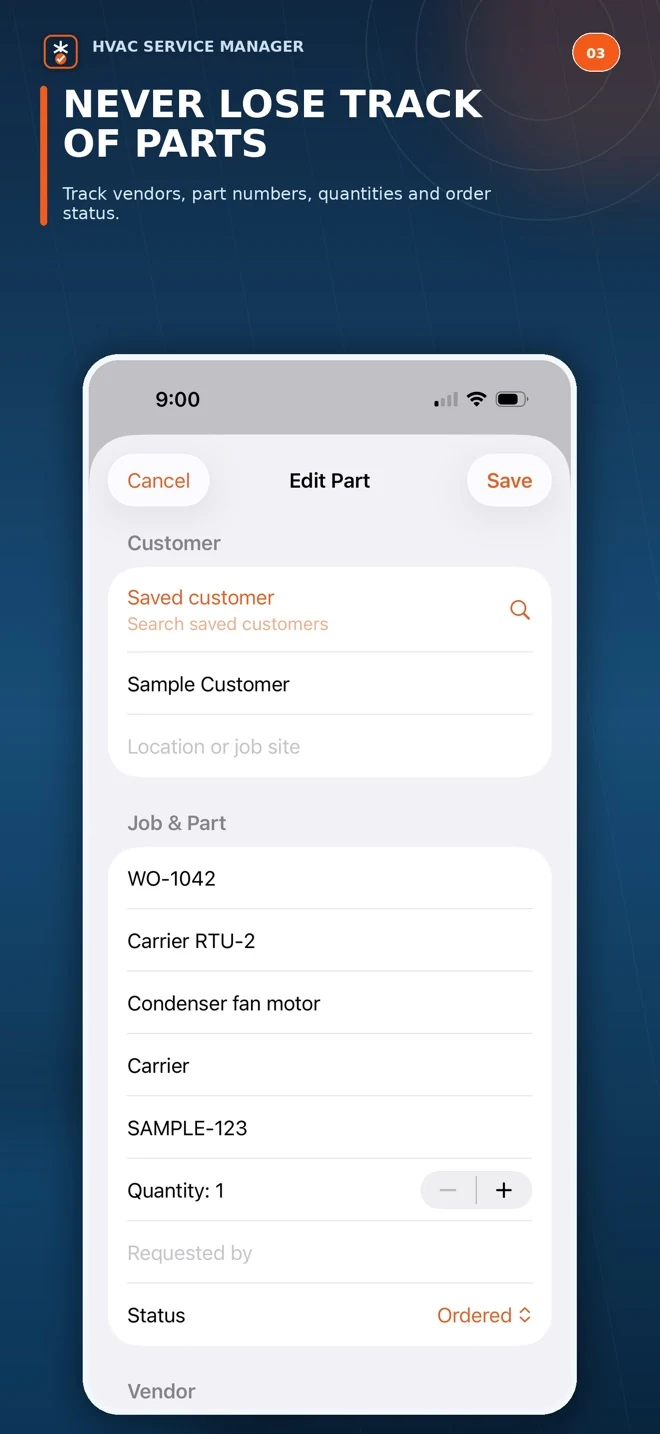
Organize parts by customer, job, vendor, purchase order, and delivery status. Attach relevant images to parts and quotes. Track quote due dates, follow-ups, and approval status, and compare vendor pricing, lead times, and equipment information. Review the underlying record before treating a dashboard summary as the final decision.
Plan maintenance visits and review the calendar
Maintenance contracts can have separate billing and service frequencies. Use the available visit calculations and reminders, then review calls, parts, quotes, maintenance visits, and appointments on the unified calendar. Notifications are a convenience, not the sole method for monitoring time-sensitive work.
Customers, exports, and local records
Add customers and locations manually or import customer records from a compatible QuickBooks CSV export. This is a file import, not a live accounting connection. Generate supported PDF lists of calls, parts, and quotes, then print or share them through supported iOS options. Operational records and attached images are stored locally on the device.
Where this app fits—and where it does not
Use Service Manager for operational tracking and recordkeeping. It is not accounting, invoicing, payroll, tax, code-compliance, or emergency-dispatch software. Do not assume technician accounts, live multi-user synchronization, or an integration merely because a customer file can be imported. For equipment startup reports, see HVAC Startup Checklist.
Does it connect directly to QuickBooks?
It imports customer records from a compatible CSV export; this does not mean live synchronization. QuickBooks is a trademark of Intuit Inc. HVAC Service Manager is not affiliated with, sponsored by, or endorsed by Intuit.
Does downloading include every feature?
The app is free to download. Some record-management features require Pro. Introductory offers, when available, depend on Apple’s eligibility rules. Check the current listing and purchase screen; do not assume a trial is guaranteed.
Can reminders replace our follow-up process?
No. Keep a separate process for urgent or time-sensitive work and verify important dates. Device notifications should support that process, not be its only safeguard.
View HVAC Service Manager on the App Store. Get app support with the device, app version, and steps that led to the issue.
Find suppliers for the next job
Looking for a distributor branch? HVAC Supply Near Me is a separate, free iPhone and iPad app for supplier searches, job stock lists, and HVAC references. Confirm stock and pricing with the branch. Records are not automatically synchronized between these apps.
Service reports and equipment records
For a document covering a service call, explore HVAC Service Report & PDF. To organize equipment by account and location with nameplate data, history, and QR labels, see HVAC Equipment Log. These are separate apps with their own purchase options; do not assume automatic synchronization.